
Download picd – Free Screen Capture Tool for Windows, Mac, Android & iOS
Looking for a fast, lightweight, and secure way to take and share screenshots? picd is a free screen-capture tool designed for users who want instant image capture with cloud sharing capabilities. Developed by rtland.team, picd allows you to capture any screen area with just a tap of the PrintScreen button, making it ideal for quick documentation, social media posts, or sharing work-related visuals.
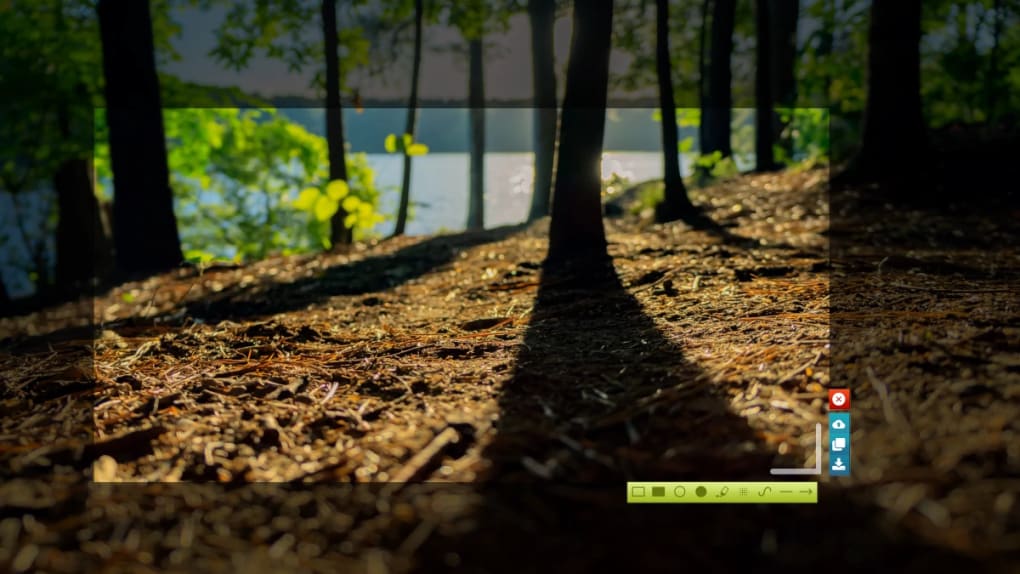
Whether you're on Windows, Mac, Android, or iOS, picd delivers a seamless experience with minimal setup. The tool integrates directly into your system, launching a selection window the moment you press the PrintScreen key. From there, you can drag to select your desired area, adjust the frame with precision, or right-click for a full-screen capture.
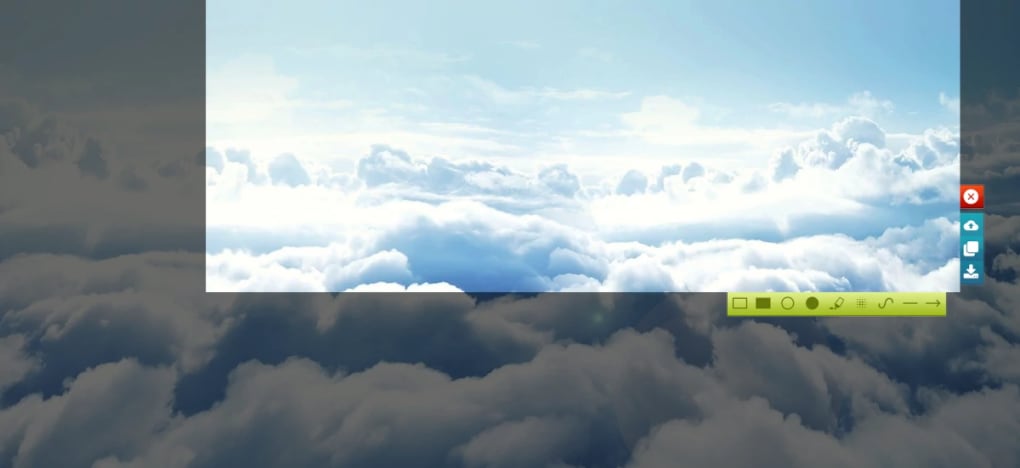
Once captured, two intuitive toolbars appear—offering basic editing tools like freehand drawing, shapes, and annotations. While the editing options are limited compared to advanced tools like Snagit or LightShot, they’re sufficient for quick fixes. The real strength of picd lies in its cloud integration: every screenshot is uploaded to picd.in, where it’s assigned a unique public link for instant sharing.
This makes it perfect for remote teams, content creators, and students who need to share visual feedback quickly. Despite its simplicity, picd remains secure and privacy-conscious, with no login required. However, the lack of a user account means you can’t manage or delete your images directly.
Still, for users who prioritize speed and simplicity over advanced features, picd is a solid choice.
Key Features of picd – What Makes It Stand Out?
picd stands out in the crowded screenshot tool market by focusing on speed, simplicity, and cloud integration. Here’s what you get with this lightweight software:
- Instant Capture with PrintScreen – Launch the selection tool with just one key press, eliminating the need for complex menus or hotkeys.
- Flexible Selection Tools – Drag to select any area of your screen with precision. Adjust the selection by hovering over edges and corners for fine-tuning.
- Basic On-Screen Editing – Includes freehand drawing, shape tools (like rectangles and arrows), and simple annotations—perfect for highlighting key details.
- Cloud Sharing via picd.in – Automatically uploads your screenshot to a secure cloud server and generates a shareable link for social media, emails, or messaging apps.
- Multiple Export Options – Save locally as PNG, copy to clipboard, or upload directly to the cloud—ideal for users who need flexibility.
- Platform Compatibility – Available for Windows, Mac, Android, and iOS, ensuring consistent performance across devices.
- Zero Login Required – No account creation or personal data needed, enhancing privacy and reducing friction.
While picd lacks advanced features like region capture presets, OCR integration, or multi-format export, its streamlined design ensures minimal lag and fast performance. The tool is particularly useful for users who don’t want to install heavy software or navigate through complex interfaces. Its minimal footprint makes it a great fit for older machines or systems with limited resources. The fact that it’s completely free with no ads or hidden costs is another major plus. Whether you're a student documenting a tutorial, a remote worker sharing feedback, or a content creator posting visuals, picd delivers the essentials without distractions.
How to Install and Use picd on Windows, Mac, Android & iOS
Getting started with picd is quick and straightforward, regardless of your device. Here’s a step-by-step guide to help you install and use it across platforms:
For Windows and Mac:
- Visit the official website picd.in and download the installer for your operating system.
- Run the downloaded file and follow the on-screen prompts to complete the installation.
- Once installed, picd runs in the background and automatically activates when you press the PrintScreen key.
- Click and drag your cursor to select the area you want to capture. You can adjust the selection by hovering over the edges.
- After selection, two toolbars appear—use the left one for basic editing (draw, annotate), and the right one to save, copy, or upload.
- Click “Upload” to send the image to picd.in and receive a shareable link instantly.
For Android and iOS:
- Open the Google Play Store (Android) or App Store (iOS) and search for “picd”.
- Download and install the app from the official developer, rtland.team.
- Grant the necessary permissions (camera, storage) when prompted.
- Open the app and tap the capture button to take a screenshot of your screen.
- Use the built-in tools to annotate or crop the image.
- Tap “Share” to generate a link and send it via messaging, email, or social media.
One of the biggest advantages of picd is its cross-platform consistency. Whether you're on a desktop or mobile device, the interface and workflow remain nearly identical. This makes it easy to switch between devices without relearning the process.
The tool also supports keyboard shortcuts for power users, though these are limited to the PrintScreen key. For those who prefer automation, picd integrates well with clipboard managers and productivity tools. Regular updates ensure compatibility with the latest OS versions, and the developers are responsive to user feedback.
While the mobile version lacks full-screen capture, it still performs well for most use cases.
Pros and Cons of Using picd – Is It Right for You?
Pros:
- Free to Download and Use – No hidden costs, subscriptions, or ads. Perfect for students and casual users.
- Lightweight and Fast – Minimal system resource usage ensures smooth performance even on older devices.
- Instant Cloud Sharing – Generate shareable links in seconds without manual file transfers.
- Simple, Intuitive Interface – Easy to learn, even for non-technical users.
- Multi-Platform Support – Works seamlessly across Windows, Mac, Android, and iOS.
Cons:
- No User Account or Image Management – You can’t delete screenshots yourself; deletion requires contacting support.
- Only PNG Format Support – No option to save in JPG, WebP, or other formats.
- No Instant Full-Screen Capture – Must use right-click, which is less convenient than dedicated hotkeys.
- Limited Editing Tools – Can’t change line color or brush thickness, which restricts customization.
- Cloud Storage is Public by Default – Images are publicly accessible via the link, posing privacy risks for sensitive content.
While picd excels in simplicity and speed, its limitations become apparent when you need more control or advanced functionality. It’s best suited for quick, one-off captures where privacy isn’t a concern. For professionals handling confidential data or those needing extensive editing, alternatives like Snagit or Greenshot may be better choices. However, for everyday use, picd delivers reliable performance without the bloat.
Final Verdict: Is picd Worth Downloading?
After thorough testing across multiple platforms, picd proves to be a solid choice for users seeking a no-frills, fast, and free screenshot tool. Its ability to capture, edit, and share in seconds makes it ideal for students, remote workers, and casual users. The cloud integration via picd.in is seamless and efficient, eliminating the need for manual file transfers. However, the lack of a user account and the inability to delete images independently are significant drawbacks. Additionally, the restriction to PNG format and limited editing options may frustrate power users.
If you value speed, simplicity, and cross-device compatibility over advanced features, picd is definitely worth a try. It’s a secure, lightweight tool that performs its core function exceptionally well. For those who need more control or privacy, consider pairing it with a local storage solution or using it selectively.
Ready to simplify your screenshot workflow? Download picd today and experience instant screen capture with cloud sharing.
Frequently Asked Questions (FAQ)
-
Is picd completely free to use?
Yes, picd is 100% free to download and use. There are no subscription fees, ads, or hidden costs. It’s a completely open-access tool developed by rtland.team for public use.
-
Can I delete my screenshots from the cloud?
Unfortunately, picd doesn’t offer a user account or self-service deletion. If you need to remove a screenshot, you must contact the developers at [email protected] with the image URL.
-
What image formats does picd support?
picd only saves screenshots in PNG format. There is no option to export in JPG, WebP, or other formats.
-
Is picd available for mobile devices?
Yes, picd is available for both Android and iOS. You can download it from the Google Play Store or Apple App Store.
-
Can I use picd without an internet connection?
Yes, you can capture and edit screenshots offline. However, uploading to picd.in requires an active internet connection.







